
The short answer: LinkedIn Ads training for B2B teams should leave participants able to make and explain a real campaign decision—not simply navigate the interface. A useful program begins with the business goal and account context, then teaches audience design, offer and creative alignment, lead routing, measurement, and review. Each module should include a working exercise using the team’s own campaign or a clearly labeled practice account. Before training starts, agree on participant roles, account access, data boundaries, and the final work product. A qualified team should be able to launch a bounded test, inspect its measurement, and explain what the results can and cannot support.
LinkedIn Ads training for B2B teams should teach decisions
A B2B team may already know how to create a campaign, upload an image, and submit an ad for review. That does not prove the people responsible can decide whether the campaign has the right audience, whether the offer makes sense for the buyer, or whether a form is producing useful conversations. Platform familiarity is one layer of capability. The harder skill is connecting settings to a business decision and noticing when the evidence is weak.
Good LinkedIn Ads training for B2B teams is therefore practical. Participants should work on a real brief or a sanitized practice scenario, identify assumptions, and present a campaign plan that another teammate can review. A training provider can teach platform workflows and help structure exercises, but the company still owns its commercial goals, claims, legal review, customer data, and sales follow-up process.
LinkedIn’s Marketing Solutions resource center and LinkedIn Learning contain official materials that can supplement live instruction. Interfaces, campaign types, and account options can change. A course should identify which steps are current, show participants how to verify the live account, and distinguish durable planning principles from UI details that may move.
Decide who needs which skill
Not everyone in the room needs to master every function. A demand generation lead may own budget and performance decisions; a content marketer may develop messages; a sales operations specialist may manage CRM fields and routing; a designer may prepare assets; a senior leader may approve the commercial objective. Training is more efficient when each person understands their own task and the handoffs around it.
Before scheduling a session, ask participants to describe their last campaign. Where did they hesitate? Which setting did they choose without understanding the effect? What data did they wish they had? Which sales concern arrived after launch? Those answers provide a baseline and help the trainer select exercises. Avoid collecting confidential customer details in a shared worksheet unless the organization has approved the method and access.
| Participant | Core skill to practice | Evidence of readiness |
|---|---|---|
| Marketing owner | Translate the business goal into a campaign brief and review rule | Can state audience, offer, budget cap, outcome, and next decision |
| Campaign operator | Configure the selected campaign and check delivery details | Can explain key settings and find current platform guidance |
| Content or creative lead | Match the message and format to a buyer question | Can link each creative variation to an explicit hypothesis |
| Sales or account lead | Define a useful inquiry and provide disposition feedback | Can describe qualification, ownership, and follow-up boundaries |
| Marketing operations | Connect form or website signals to CRM reporting | Can trace a test record through routing and report definitions |
| Approver | Review risk, budget, claims, and business fit | Can approve, revise, or stop a campaign based on stated criteria |
In a small team, one person may hold several roles. The important point is to make responsibility visible. If no one owns lead quality, training should include a decision about who will take that role before the next campaign begins.
A hands-on curriculum built around decisions
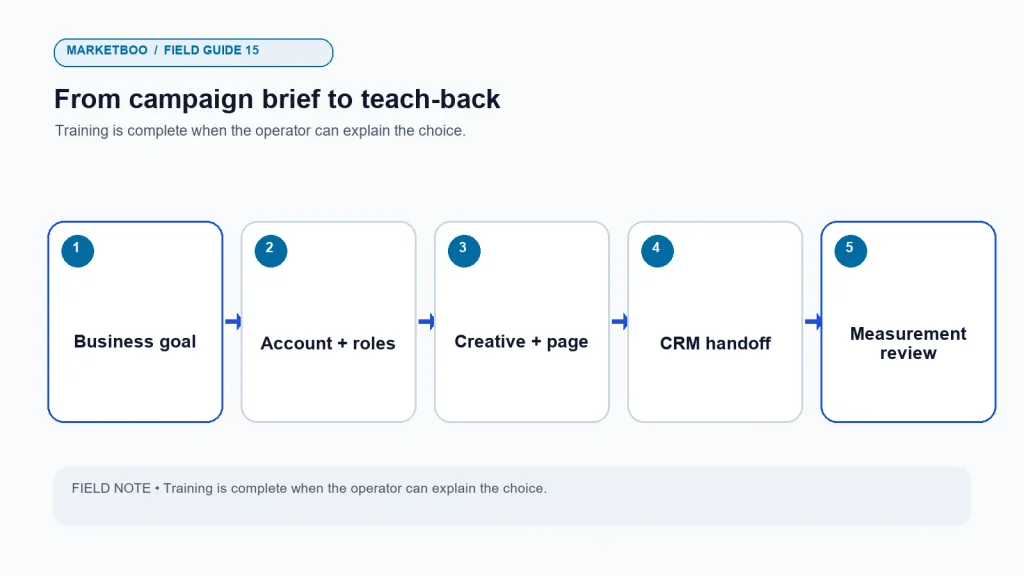
A practical course can be delivered as a workshop, coaching series, or a combination of short sessions and supervised campaign work. The modules below are a syllabus design, not a claim about a specific Marketboo course. Adjust the length to the team’s skill and the complexity of the account. A company with an established campaign process may spend less time on navigation and more time on measurement and CRM quality.
| Module | Decision participants practice | Exercise | Takeaway |
|---|---|---|---|
| 1. Business goal and offer | What should the campaign help the buyer do? | Rewrite a vague objective as a bounded campaign brief | One-page campaign brief with owner and review date |
| 2. Audience and account context | Which companies and roles plausibly fit? | Map target accounts and buying roles from known sales examples | Audience hypothesis and exclusions |
| 3. Creative and destination | What proof answers the buyer’s next question? | Draft two message concepts and inspect their landing pages | Creative hypothesis card and destination checklist |
| 4. Campaign structure | Which current campaign setup fits the goal? | Navigate a sandbox or supervised account and explain choices | Annotated setup plan |
| 5. Lead handling | What information is needed and who responds? | Trace a practice form submission through CRM routing | Field map and disposition rules |
| 6. Measurement | How will the team judge evidence? | Reconcile mock platform and CRM data under defined rules | Reporting definitions and caveats |
| 7. Optimization | What should change, and what should stay stable? | Review a scenario with mixed results and select a next test | Decision memo: keep, revise, retest, or stop |
| 8. Governance and handoff | Who approves and maintains the campaign? | Create a RACI-style ownership map and change log | Launch checklist and named owners |
Training should use the team’s actual product, audience, sales process, and reporting definitions where possible. Replace sensitive details in a practice version if the room includes outside participants or the training environment is not approved for company data. A generic example may teach the mechanics but cannot prove that the team’s own audience, claims, form, and routing are ready.
Module 1: sharpen the brief before choosing a format
Participants often begin with “We need more leads.” Ask what kind of lead, from which companies, for which offer, and what sales should do after one arrives. Is the goal to introduce a new product, invite qualified accounts to a technical conversation, register people for a webinar, or re-engage a known segment? Does marketing own the response or does sales? What would make the campaign a no-go?
An exercise can give the group a vague brief and ask each person to produce a more operational version. The brief should include one business outcome, audience context, buyer question, offer, destination, budget range, owner, measurement definition, review condition, and a list of assumptions. Participants should state what they do not know, instead of filling gaps with invented numbers.
The trainer can evaluate the brief using four questions: Is the audience specific enough to review? Does the offer match the buying stage? Can the team deliver what the ad promises? Is the proposed outcome observable? If participants cannot answer those questions, the training should address the missing decision before anyone opens Campaign Manager.
Module 2: build audience hypotheses without confusing title with intent
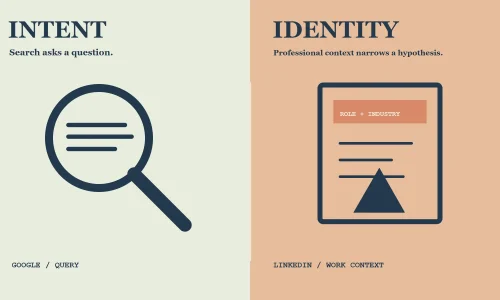
B2B teams can discuss company attributes, functions, seniority, titles, skills, and account lists, but should verify which controls are currently available in their own account. A job title is not a guarantee that the person is actively buying. A person with a non-obvious title may influence technical requirements or route the inquiry to the right colleague. Teach participants to describe audience settings as hypotheses and compare them with actual CRM fit.
The practice exercise: give a product brief and a short list of past customer roles. Ask participants to identify target companies, plausible roles, exclusions, and unknowns. Then ask what evidence would change the audience. They should also consider whether the target market can be reached at a reasonable scale under the account’s available settings. Do not promise a specific audience size before checking the live tool.
One participant should play the skeptical sales representative: “Why would this person care?” Another should play the operations owner: “How will we know the lead belongs to the account?” This makes the exercise useful beyond clicking boxes. It surfaces assumptions that a platform interface cannot settle.
Module 3: connect the message, proof, and landing page
Teach a creative brief as a set of linked choices: the buyer’s question, the claim the business can support, the proof available, the requested action, and the destination. A polished image does not repair an unsupported claim or an irrelevant landing page. Participants should check that the first sentence and visual make a clear promise and the page fulfills it.
Use a simple exercise. Each group receives one buyer objection and produces two different proof-led concepts. One may use a technical explanation; the other may show the business process or outcome. The group then chooses a suitable format and explains why. They should not be asked to invent customer results or testimonials. When evidence is missing, the creative should say less or invite a qualified conversation.
Participants can also audit an existing landing page. Ask whether it explains who the offer is for, what the visitor will receive, what information is required, what happens after submission, and how the page works on a phone. If a campaign relies on a gated asset, decide whether the information requested is proportionate to its value and stage.
Module 4: practice live campaign decisions
Platform instruction should cover the current campaign flow that the company intends to use, but screenshots alone age quickly. A trainer can show participants how to find current help, inspect account permissions, check the ad preview, set the available budget or schedule options, and verify the destination. If the account is live, use a supervised, non-publishing exercise or a safe draft state until the approver is ready.
Give participants a campaign scenario with a budget cap, target audience, offer, and destination. Ask them to explain each selection in plain language. A strong participant can say what the setting does, what it does not establish, and how it will be checked after launch. This is more useful than memorizing a sequence of clicks that may change with the interface.
Be explicit about boundaries. Training is not authorization to edit all accounts or export customer lists. Agree on roles and approvals. If users need permissions, account access should follow company policy. The trainer should not ask participants to share passwords or bypass platform security controls.
Module 5: make the lead handoff teach marketing something
The campaign is not complete when someone submits a form. The person may be a student, job seeker, vendor, competitor, existing customer, or a qualified prospect. The team needs a polite, consistent way to route the inquiry and record the outcome. Training should use a mock record to check ownership, required fields, notifications, deduplication, and the path for technical questions.
Ask the marketing and sales participants to agree on a short set of outcomes: qualified and active, qualified but future timing, existing account, partner route, out of geography, product mismatch, duplicate, or unable to contact. Make the list reflect the business, not a generic template. The goal is to learn why contacts did or did not progress, while collecting only information that the company can use responsibly.
A training exercise should include a delayed response or a missing field. What happens when the assigned salesperson is away? What if the prospect is in another region? What if the form arrives without a product need? Who updates the CRM? A process that only works in the ideal case is not ready for launch.
Module 6: read a report without mistaking correlation for proof
Participants should understand the difference between delivery metrics, engagement, lead events, sales qualification, pipeline, and closed revenue. They should learn that platform-attributed outcomes use platform rules and are not automatically equal to CRM source or influenced revenue. The team should set definitions before reporting and preserve the date, currency, attribution window, conversion event, and CRM stage.
Use a mock report with intentionally different totals. For example, the platform may show 30 form submissions, CRM may contain 26 unique contacts, sales may qualify 8, and 2 may become opportunities. Ask the team to list possible explanations and which system should be checked. The values are a teaching scenario, not a performance benchmark.
Then give two participants different reporting requests: one wants a channel source view; the other wants to know which campaign influenced an opportunity. The report owner should explain the model and the limits. This exercise teaches participants to state the metric’s meaning instead of presenting one dashboard label as the whole story.
Module 7: turn optimization into a controlled next step
Optimization is a decision, not an automatic sequence of changes. A campaign can show low click-through, weak lead fit, or strong engagement with no opportunities. Each pattern suggests a different investigation. Change creative when the message is the likely issue; inspect audience fit when accounts are irrelevant; improve the offer or destination when qualified people do not take the next step; repair routing when good forms are lost.
Give the team a set of conditions and ask them to pick keep, revise, retest, or pause. Require them to identify evidence, uncertainty, and the next test. If they change the audience, offer, creative, and page at once, they must explain how they will learn which change mattered. The goal is to teach restraint as well as action.
How to evaluate a training provider
Before choosing a provider, request the course outline, prerequisites, workshop format, participant deliverables, trainer experience, account-access plan, and follow-up support. Ask whether exercises use the company’s real goals or only a sample interface. Ask how the instructor handles unknown product details, current platform changes, and data confidentiality. If the trainer presents client outcomes, request permission and context before treating them as evidence.
| Evaluation question | A useful answer should clarify | Warning sign |
|---|---|---|
| What will participants be able to do? | Observable skills and a work product | Vague promises of “mastery” or guaranteed lead volume |
| Who attends? | Roles, baseline knowledge, and session size | One generic course for very different needs |
| Is the training hands-on? | Exercise account, safe draft process, or real campaign review | Only slides and UI screenshots |
| How are platform changes handled? | Current documentation and account-specific verification | Fixed claims about options that may vary by account |
| What is included? | Prep, session time, materials, follow-up, and scope boundaries | Hidden implementation or access obligations |
| How is progress assessed? | A practical task, teach-back, or reviewed campaign plan | Attendance treated as proof of competence |
| Who owns accounts and data? | Access permissions, retention, and client control | Requests to share passwords or unnecessary exports |
The commercial proposal should state whether the work is training, campaign management, technical implementation, or a blend. Those services have different responsibilities. A workshop can help a team understand a process; it does not automatically perform the work or approve the company’s claims. If the company wants an expert to run campaigns after the session, that should be scoped separately.
A post-training practice plan
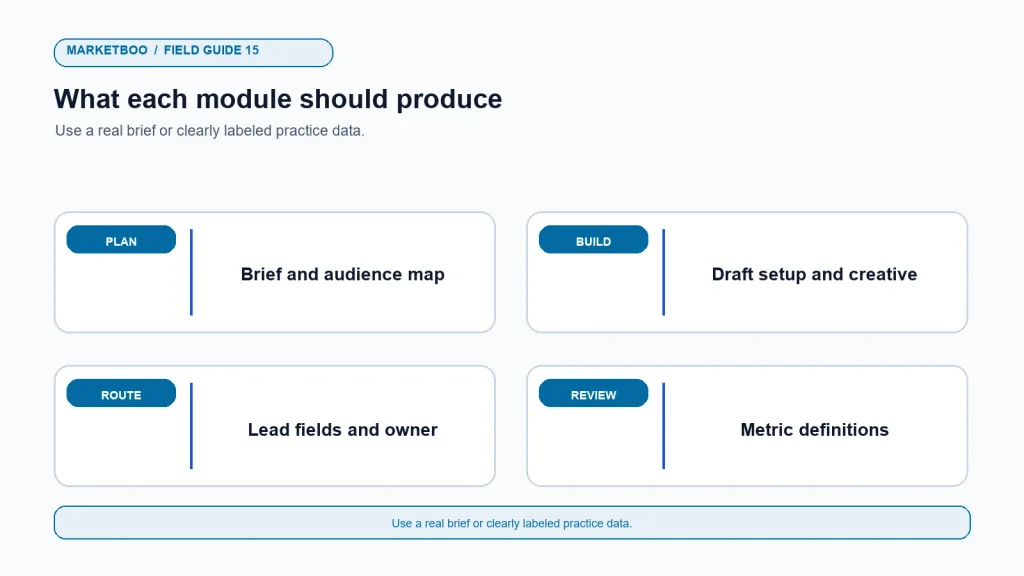
Skills fade if the team does not use them. Assign a bounded campaign exercise within a practical period after the session. The campaign owner writes a brief. The operator configures a draft. The creative lead reviews the message and destination. Sales validates the qualification plan. Marketing operations verifies the event and CRM path. The approver signs off on budget and claims. The group then reviews one report using the definitions taught in the course.
Keep the review short. Ask each participant to explain one decision and one remaining uncertainty. Record whether the person can find current platform documentation, identify the responsible owner, and avoid unsupported claims. If the team needs a refresher, schedule it around a real change rather than repeating the entire course.
Consider pairing participants across functions during the practice task. A marketer can explain the audience and offer to sales; sales can explain what makes a conversation useful; operations can show where the record lands; and the approver can test whether the budget and claim review are clear. The point is not to make every person an expert in every function. It is to make the handoff predictable enough that a campaign does not depend on one person remembering undocumented steps.
At the end of the exercise, keep a short list of unresolved questions with owners and dates. Some may be platform questions, others may concern account access, CRM fields, product claims, or sales capacity. Training should expose those dependencies so the company can address them. Pretending that every issue was solved during a workshop creates a false sense of readiness and makes later execution harder.
Marketboo provides hands-on advertising coaching as a service path for businesses that want applied guidance. Teams comparing internal learning with managed execution can also review global paid media services. Ask for the exact curriculum, outputs, schedule, account-control approach, and fees before agreeing; the scope should match the team’s skill gaps.
How to structure a LinkedIn Ads training program
- Assess the team’s baseline. Ask what people can currently plan, launch, measure, and explain; use recent campaign questions rather than a generic quiz alone.
- Name role-specific outcomes. Define the practical task each participant should perform after training and who owns the final approval.
- Choose one real or sanitized campaign brief. Use a live business problem while removing sensitive details that are not approved for the learning environment.
- Map the buying context. Identify target accounts, buyer roles, customer questions, and known limitations as hypotheses.
- Prepare a hands-on exercise. Create a safe draft or sandbox path and gather current platform resources for the chosen campaign type.
- Practice creative and destination review. Have participants link a message to substantiated proof, an offer, and a page that fulfills the promise.
- Build lead routing and CRM definitions. Agree what information is needed, who responds, and how sales outcomes return to marketing.
- Run a measurement exercise. Reconcile a sample report and label source, attribution, maturity, and uncertainty.
- Assess using teach-back. Ask participants to explain why they made choices, what the settings do, and what evidence would change their decision.
- Assign a supervised follow-up task. Review one campaign plan or report after training and note the remaining skill gaps.
Frequently asked questions
How long should LinkedIn Ads training for B2B teams take?
The schedule depends on participant experience, campaign complexity, and whether the group needs account setup, measurement, or CRM practice. A focused workshop may address a narrow gap; broader enablement may require separate sessions and supervised work. Define outcomes first, then estimate the time required instead of assuming one duration fits all teams.
Should training use a live LinkedIn ad account?
Only when the organization approves the access and the exercise cannot create unintended changes or spend. A sandbox, supervised draft, or sanitized example may be safer for navigation practice. Participants should use approved permissions and never share passwords as a shortcut.
Is LinkedIn Ads training different from campaign management?
Yes. Training develops the team’s ability to plan and operate campaigns. Management is an ongoing execution service with agreed scope, access, budget, reporting, and responsibilities. A training provider may offer both, but the proposal should distinguish them clearly.
What should a B2B team learn first?
Begin with the commercial goal, audience and buying context, offer, and measurement definitions. These decisions shape campaign setup. Learning the interface before understanding the customer and handoff can teach a team to execute a weak brief more efficiently.
Can training guarantee more leads or lower costs?
No responsible training promise can guarantee results that depend on audience fit, offer, product, competition, account data, sales response, and other conditions. A course can define learning outcomes and observable participant work. Evaluate it by the quality of those outputs, not by an unverified volume guarantee.
How do we know whether the training worked?
Ask participants to produce and explain a campaign brief, audience hypothesis, creative test, lead-routing plan, and measurement note. Then review a real or supervised campaign task. Attendance is not evidence that a person can make the decisions the role requires.
What should we ask a LinkedIn Ads coach before hiring?
Ask for the agenda, trainer qualifications and relevant experience, practical exercises, current documentation approach, participant outputs, fees, account-access boundaries, data handling, and follow-up. Request evidence for any claimed case result and clarify whether implementation or campaign management is included.
Teach the team to explain its decisions
LinkedIn Ads training for B2B teams earns its place when participants leave able to connect a setting or creative choice to a customer and a business outcome. The team should know what to verify in the current platform, how a lead moves into sales, and why a dashboard result may not prove incremental pipeline. That skill is more durable than memorizing an interface.
Choose training around the campaign decisions your people actually need to make. Use your own account context where permitted, keep exercises safe, and assess with a work product. If the team still needs outside execution, define that service separately. The training should build capability the organization can use after the session ends.