

The short answer: A dependable B2B website redesign process starts by defining the business problem and success evidence before choosing a visual direction. Inventory pages, content, search traffic, integrations, forms, analytics, and ownership; then agree on scope, decision makers, acceptance criteria, and dependencies. Plan discovery, information architecture, content, design, development, migration, testing, launch, and post-launch review as connected workstreams. Keep one accountable decision owner for each milestone and maintain a change log. The schedule should reflect the site’s complexity, content volume, integrations, review capacity, and risk; no universal timeline fits every B2B redesign.
The B2B website redesign process depends on decisions
A project reaches the planned design review, but the product team has not confirmed feature claims, sales has not approved the lead-routing fields, and nobody can say which legacy pages bring qualified organic visits. The design may be polished. The project is still not ready to proceed because its decisions and dependencies are unresolved.
This is a common project-management problem, not proof that a particular redesign tool or agency is unsuitable. B2B websites connect marketing, sales, product, recruitment, analytics, and sometimes customer portals or distributor systems. A redesign can affect how customers understand the offer, how search engines discover pages, how leads enter the CRM, and how the company measures activity.
The goal is to make these responsibilities visible early. A website redesign project plan should identify what must be true before each milestone is approved. It should also let leadership see which changes add scope, which decisions are late, and what risk a proposed schedule creates.
Define the business outcome before the visual brief
Begin with the problem the site should solve. Perhaps prospects cannot understand the difference between service packages. A technical buyer cannot find the required documentation. Leads arrive without enough information for routing. Pages are difficult to maintain across regions. The team may have a performance concern, but confirm it with evidence before turning it into a redesign requirement.
Write the objective as a user task and a business outcome. “Refresh the website” is not enough. “Help an operations buyer compare two service lines and request a qualified assessment without calling the wrong team” is more useful. Then decide what evidence will show the new path works. That could involve task completion, form quality, content findability, reduced misrouted inquiries, or improved technical measures. Use existing analytics and CRM data, and label gaps.
Establish a baseline before making major changes. Record important page URLs, indexation state, organic landing pages, conversions, form routing, analytics events, key rankings if available, accessibility findings, search performance, and critical integrations. The baseline does not guarantee future results; it gives the team a reference when checking for regressions or improvements.
Build the project charter and ownership map
Name a project sponsor who resolves priority conflicts and a day-to-day product owner who collects decisions. Assign workstream owners for content, design, development, SEO, analytics, CRM, security, legal or compliance, and business-line review as needed. One person can hold several roles in a small company. What matters is that each approval has one accountable owner and a due date.
| Workstream | Accountable owner | Contributors | Approval evidence |
|---|---|---|---|
| Business goals and scope | Sponsor or project owner | Marketing, sales, product | Signed project charter and success measures |
| Content inventory and messaging | Content owner | Product, sales, service teams | Approved content map and claims source |
| Information architecture | UX or web owner | SEO, sales, product | Approved navigation and page map |
| Design system and templates | Design lead | Brand owner, accessibility reviewer | Component review and responsive states |
| Development and integrations | Technical lead | CRM, security, analytics | Test evidence and implementation notes |
| Search and migration | SEO owner | Developer, content, analytics | Redirect map, canonical review, crawl comparison |
| Launch and operations | Release owner | Project team, support | Go/no-go checklist, rollback owner, monitoring |
The charter should include project boundaries, target audiences, markets and languages, platform constraints, decision rights, budget owner, reporting cadence, and change control. State what is excluded: new product photography, a CRM replacement, a brand redesign, translation, content writing, or custom integrations if those are not in the approved scope. Unnamed exclusions often return as urgent requests late in the project.
Separate the working team from the approval group
The people who contribute detail are not always the people who approve a decision. A product specialist can verify a feature, while a product leader approves how the feature is positioned. A developer can explain a migration risk, while the release owner approves the launch. The project plan should show both the working contributors and the final approvers so the delivery team does not wait for the wrong person.
Create a decision log for choices that affect scope, architecture, content, customer data, or launch risk. Each entry should record the question, options considered, evidence, decision owner, date, and consequence. If an executive chooses a shorter launch schedule and defers a noncritical page group, the log should preserve that trade-off. This protects the team from revisiting resolved questions without context and helps a new stakeholder understand why the site took its current shape.
For recurring approvals, define a default route. A content reviewer may approve claims and page copy; the SEO owner may review URL mapping; engineering may approve implementation details; the release manager may coordinate deployment. A project sponsor should resolve disagreements that cross these boundaries. Avoid relying on a large committee to approve every page; assign representatives who can bring feedback back to their groups.
Write a decision brief for high-impact choices
Some project decisions deserve more context than a comment in a design file. Before changing the CMS, removing a high-traffic page, adopting a new URL pattern, or changing lead routing, prepare a one-page decision brief. State the user problem, options, evidence, cost and dependency, risks, owner, and deadline. Make a recommendation, but allow the accountable approver to choose another option.
This format is especially helpful when teams have competing incentives. Sales may want fewer form fields, while the qualification team needs context. Search may favor retaining a useful page, while product wants a simplified navigation. A brief allows each group to review the actual trade-off rather than exchange preferences. The decision log can then link to the brief and preserve the accepted rationale.
The brief should include a “what would change our mind” line. For example, the team may retain a page unless data shows it is obsolete and has no customer or search role. Naming the contrary evidence encourages review rather than turning the first decision into a permanent rule.
Estimate with ranges when discovery is incomplete
Early project estimates are often uncertain because the team has not inventoried every URL, confirmed integrations, or reviewed data quality. Record which parts are firm and which require discovery. A vendor may provide a range for migration effort, while the company uses a fixed scope for design templates. Keep the basis visible so leadership can compare options without treating an early estimate as a guaranteed final fee.
For each uncertain area, identify a way to reduce uncertainty: sample product exports, inspect representative pages, interview an integration owner, test a form, or crawl a subset of URLs. Schedule these checks early enough that findings can change the plan. If the project proceeds before discovery is complete, set a decision gate at which the sponsor can approve, re-scope, or defer the work.
Inventory what exists before deciding what to replace
Create a complete URL and asset inventory. Include landing pages, service pages, case studies, resource pages, forms, documents, media, subdomains, localized versions, campaign pages, and unlinked URLs discovered through analytics or search data. Identify page owner, purpose, audience, freshness, traffic or conversions, backlinks if available, internal links, and technical status.
Do not decide that a page is disposable because it looks old. A legacy page may have search visibility, external links, or an important sales role. Conversely, a page with traffic may attract irrelevant visitors. Review the source and purpose before deciding whether to retain, merge, redirect, rewrite, or retire it. Record the chosen action and destination in a migration map.
For each important page, identify the user task and evidence needed. A service page may need a clear scope, target customer, limitations, and next step. A case study needs permission, context, dates, and a defensible description of results. A product page may require specification review. This work should be scheduled alongside design; content is not a final polish layer.
Plan the schedule around dependencies, not optimism
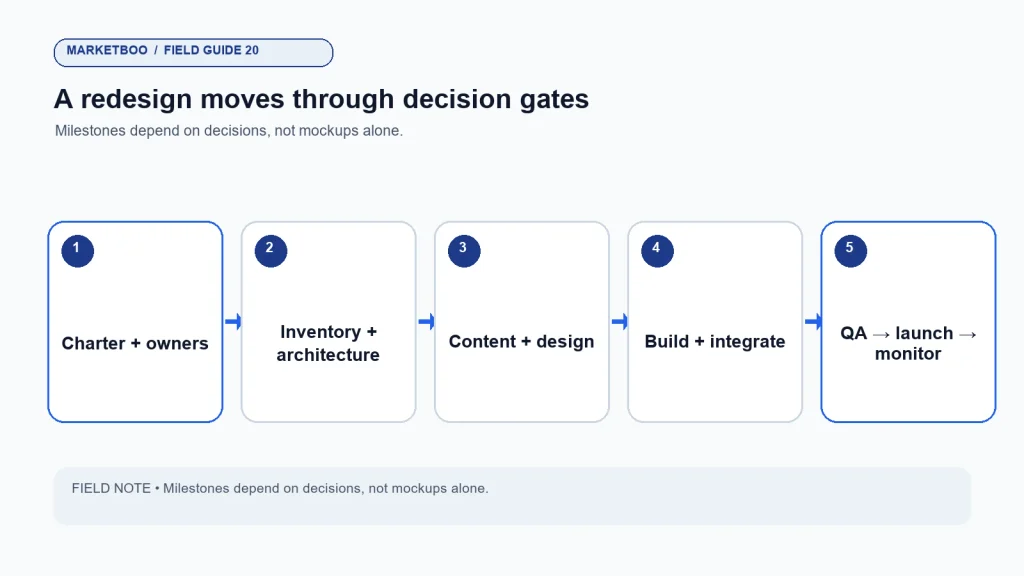
The calendar should show phases and decision gates. Discovery cannot close until goals, audiences, technical constraints, and inventory are understood. Design cannot be approved if page structure and content responsibilities are unsettled. Development cannot complete without final requirements and access to integration owners. Launch cannot be safe if redirects, tracking, QA, and rollback plans are incomplete.
An illustrative sequence might be: discovery and baseline; page architecture and content planning; design; development and integration; content entry and migration; QA and launch; post-launch monitoring. These are phases, not fixed duration claims. A small brochure site with a few templates differs from a multi-region site with gated resources, CRM routing, custom search, and several content owners.
Build explicit review windows into the plan. Include time for stakeholders to respond, revisions, legal or technical review, content entry, redirect validation, and defect resolution. If leadership wants to compress the schedule, ask what scope or review risk will be accepted. Do not turn a shorter calendar into a hidden assumption that approvals will happen faster.
Identify the critical path early
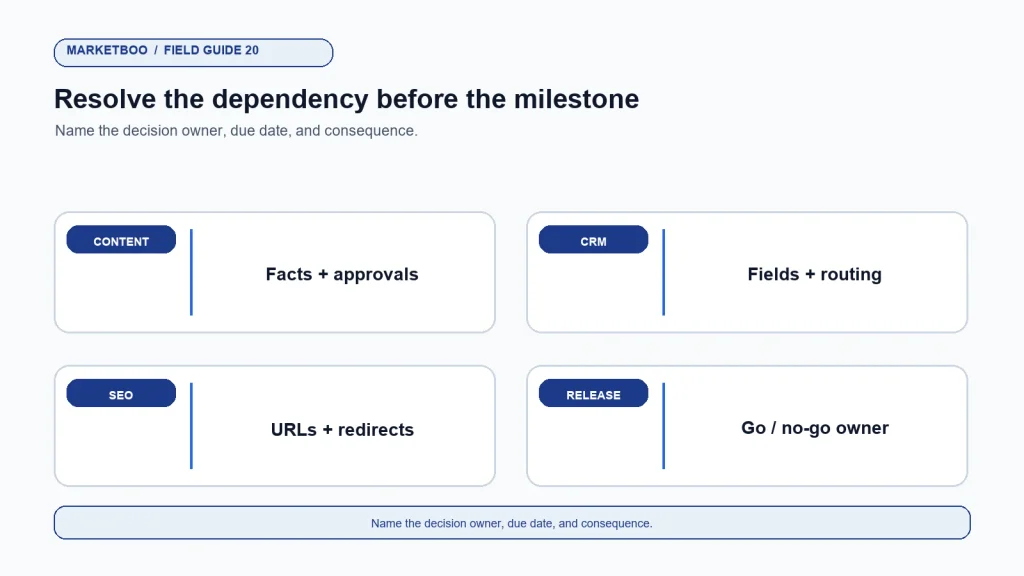
Some work can run in parallel. The team can inventory URLs while product owners confirm claims, or developers can map integrations while content owners prepare draft copy. Other work has a dependency: final template design may require representative content; integration QA requires credentials and a test environment; redirect validation requires approved destination URLs. Mark the dependencies so a delay in one workstream does not surprise the entire team.
Use a dependency register with the required input, person providing it, needed-by date, downstream task, and escalation route. If product content is late, the design team may use a clearly labeled placeholder, but the final QA should not treat it as approved. If analytics access is delayed, record which tests cannot run and who decides whether launch can proceed without them.
This approach also clarifies where parallel work is safe. Content planning can continue while a page wireframe is refined, but the final page should be tested with realistic copy before design approval. A redirect map can be drafted before final URLs are published, but it needs a review against the actual live paths before release. Document the handoff between parallel workstreams and who confirms the final version.
| Phase | Exit condition | Common dependency | Go/no-go question |
|---|---|---|---|
| Discovery | Goals, audiences, constraints, baseline documented | Analytics and stakeholder access | Do we know what problem the redesign solves? |
| Architecture | Page inventory and new structure approved | Content owners and search data | Can users find the key tasks and information? |
| Design | Templates and mobile states approved | Brand, accessibility, content | Does the design support real content and tasks? |
| Development | Functional build and integrations in test | CRM, hosting, security, analytics | Are requirements implemented and testable? |
| Migration | Content, URLs, metadata, redirects mapped | Page owners and URL decision log | Can important old paths reach a relevant new page? |
| QA | Critical issues resolved and checks recorded | Test devices, users, data | Can the team launch without known blockers? |
| Launch and monitoring | Release completed; key paths monitored | Support and rollback owners | Can we detect and address a regression quickly? |
Write acceptance criteria before a milestone begins
Acceptance criteria turn subjective approval into a reviewable decision. A page template can require responsive behavior at agreed viewport sizes, keyboard navigation for key actions, content fields that support the editorial workflow, analytics events with names and conditions, and a clear error state for forms. A service page may require approved copy, a tested CTA, and accurate metadata. A launch milestone may require redirects, sitemap checks, analytics validation, and no unresolved critical defects.
Avoid criteria like “looks good” or “works.” Define the task to test, expected result, environment, and owner. A salesperson can test whether a prospect can request the right meeting. A content editor can test whether they can update a service page without a developer. A technical reviewer can test whether the redirect map covers the approved legacy URLs.
Acceptance criteria should also define what does not need to be perfect at launch. The team may defer a new resource library or a lower-priority animation while protecting core pages, forms, access, and tracking. A documented decision is safer than quietly omitting scope.
Integrations and data ownership are project work
Map every connection before development: CRM forms, marketing automation, analytics, consent settings, search tools, customer portals, booking systems, chat, payment, product feeds, and third-party scripts. For each, identify owner, test environment, credentials process, field mapping, error behavior, data retention concern, and the business path if the integration fails.
Do not assume that a form is complete because a confirmation message appears. Test the full path from submission through validation, routing, notification, CRM field mapping, duplicate handling, and follow-up. Use test records that do not expose real personal data. Verify who owns the tracking configuration and how future changes will be documented.
For legal, privacy, or security issues, involve qualified owners. A redesign project should not claim that a site is compliant simply because it uses a cookie banner or a privacy link. Confirm current requirements for the business and markets with appropriate counsel and privacy staff.
Search continuity belongs in the design and build
Search visibility can be affected by URL changes, page deletions, content changes, internal links, canonical tags, indexation controls, structured data, renderability, and page performance. Assign an SEO owner before design approval. Preserve useful page purpose and relevant content unless there is a reason to change it. Map old URLs to the closest relevant new destination; do not redirect every retired page to the homepage.
Google Search Central’s site move documentation and redirect guidance provide official references for URL changes. Follow the current documentation for the platform and scope of the move. A redirect map should be reviewed and tested, not assumed correct because it exists in a spreadsheet.
Check staging access controls, robots directives, canonical references, title and description fields, internal links, structured data, image text alternatives, and XML sitemap output. Staging should remain protected from unintended indexing, while production should not inherit accidental blocking. After launch, crawl priority paths and monitor Search Console, analytics, logs where available, and customer reports.
Change control keeps the plan honest
During a redesign, new requests will appear. A stakeholder may want another language, a new calculator, a different CMS, or an extra customer portal feature. Instead of saying yes informally, record the request, reason, impact on scope, cost, dependency, risk, and decision owner. Then approve, defer, or reject it visibly.
Use a change log with request date, requester, description, affected pages or systems, estimated effort, schedule impact, content or legal review needs, and decision. The log is not red tape. It prevents a project from absorbing scope without an explicit change in timeline or budget. It also helps preserve the original outcome when people join the project late.
Escalation should be predictable. If an approval is late or two stakeholders disagree, specify who resolves it and by when. If the decision is not made, state the consequence: the related item may be deferred, or the launch date may move. Avoid making the developer, agency, or content writer guess which executive preference takes precedence.
A project risk register for B2B websites
| Risk | Early signal | Mitigation | Owner |
|---|---|---|---|
| Content arrives late | Pages lack approved copy near design sign-off | Assign page owners and editorial deadlines; provide a minimum viable content set | Content lead |
| CRM integration is misunderstood | Form fields are debated after build starts | Map fields, routing, test environment, and owner during discovery | Marketing operations |
| Search traffic is lost through URL changes | Redirect decisions are deferred until launch week | Inventory URLs and approve migration map before final QA | SEO lead |
| Claims cannot be approved | Product reviewers see copy for the first time at sign-off | Maintain source notes and claim owner with the content plan | Product/legal owner |
| Stakeholder feedback conflicts | Multiple reviewers give uncoordinated comments | Assign one accountable approver and consolidate feedback | Project owner |
| Launch defect has no owner | Team cannot name who pauses or rolls back release | Create go/no-go and rollback ownership before release | Technical lead |
| Measurement changes go undocumented | Analytics events differ from the old site | Save event mapping and test records before and after release | Analytics owner |
Review the risk register in the project meeting. Keep only risks that can affect scope, outcomes, security, search, customer tasks, or launch. Every risk needs an owner and a trigger for action. If a risk is accepted, record who accepted it and what evidence will be monitored.
How to run a B2B website redesign project
- Write the project charter. Define the user problem, business outcome, scope, markets, platform constraints, decision owner, and exclusions.
- Capture a baseline. Record priority URLs, search and analytics evidence, form behavior, CRM routing, technical issues, and current content ownership.
- Inventory pages and integrations. List URLs, assets, forms, systems, owners, and dependencies; mark unknowns for investigation.
- Map user tasks and architecture. Confirm audiences, navigation, content types, page roles, and the path to important business actions.
- Set acceptance criteria. Define what must work for each template, integration, content type, and launch gate before execution begins.
- Plan content and design together. Approve messaging, proof, components, responsive states, and approval routes; do not treat content as late-stage filler.
- Develop and integrate in a test environment. Track owners, access, field maps, event definitions, errors, and implementation notes.
- Prepare migration and QA. Approve redirects, metadata, links, access controls, responsive behavior, accessibility checks, forms, and rollback steps.
- Run a go/no-go review. Resolve critical issues, name the release and rollback owners, and confirm monitoring and support coverage.
- Review after launch. Crawl priority paths, verify events and CRM records, monitor search and customer issues, and assign fixes based on evidence.
When to use an external project partner
An outside team may help when the company lacks web strategy, design, development, content, search migration, or integration capacity. Compare providers by the work they will own, the decisions your team must make, the technical and content dependencies, and the handoff after launch. Ask who controls the code, hosting, accounts, analytics, creative source files, and documentation.
Marketboo provides website development and design support and SEO/GEO services. For a scoping discussion, contact Marketboo with the project problem, current platform, key integrations, page inventory, and decision owners. Ask for assumptions and exclusions in writing; a proposal should not imply a fixed schedule before the dependencies are understood.
FAQ
How long does a B2B website redesign take?
There is no reliable universal duration. Schedule depends on page count, template complexity, integrations, migration needs, languages, content readiness, review capacity, and approval speed. Ask the project team to show dependencies and decision gates instead of relying on a generic timeline.
What should be included in a B2B website redesign plan?
Include goals, audiences, scope, inventory, content, design, development, integrations, search migration, analytics, owners, acceptance criteria, change control, QA, launch, and post-launch monitoring. Add legal, privacy, or security review when the site’s data or market requires it.
Who should own a website redesign project?
Name a sponsor who resolves priorities and a day-to-day product owner who consolidates decisions. Assign accountable owners for content, design, technical work, SEO, analytics, CRM, and launch. In a small company, one person can cover multiple areas, but each decision should still have a clear owner.
How do I keep a redesign from hurting SEO?
Inventory important URLs and content, map changed pages to relevant destinations, test redirects, review canonical and indexation settings, maintain internal links and sitemap accuracy, and monitor search data after launch. Follow current Google Search Central guidance and document the limits of any migration forecast.
Should content be written before or after design?
Content and design should be planned together. The team needs enough representative copy to test whether page templates support real information, claims, and user tasks. Final content may evolve during development, but leaving it until the end can create rework and delay approvals.
What should I do with old pages during a redesign?
Review each page’s purpose, audience, accuracy, analytics, search behavior, links, and owner. Choose whether to keep, update, consolidate, redirect, or retire it, and record the reason and destination. Do not delete a page only because it looks old.
What is a website redesign acceptance criterion?
It is a testable condition that must be met before a milestone is approved. Examples include a form routing a test record to the right CRM owner, a page template supporting approved content, or a redirect taking a priority old URL to the relevant new page. Define criteria before development begins.
Launch when the decisions are ready, not merely the mockup
A B2B website redesign process succeeds when the company can explain which customer problem it addressed, who made the key decisions, and how the new site was verified. Design matters, but the project also depends on content truth, integrations, search continuity, measurement, and ongoing ownership.
Keep the charter, ownership map, page inventory, acceptance criteria, risk register, and change log connected. If a milestone is blocked by a decision, name the decision and owner rather than blaming the schedule. Then launch with a tested path, a rollback plan, and a team ready to inspect evidence after release.