

The short answer: SaaS pricing page SEO works when the page helps a buyer understand the available plans, limits, billing terms, and next step in language that matches how the product is sold. Show public prices when the company is ready to maintain them; if pricing is custom, explain why, identify what affects a quote, and offer a useful way to speak with sales. Keep important plan information in accessible page text, not only in images or scripts. Map pricing, comparison, and alternative queries to the right pages without creating thin duplicates. Review the page whenever plans, features, prices, or contract terms change.
How SaaS pricing page SEO serves buyer questions
A visitor on a pricing page may be comparing monthly plans, checking whether a feature is included, evaluating a usage limit, or deciding if sales contact is worth the effort. If the page says only “Contact us,” the visitor may not know whether the product fits their budget or what happens in a conversation. If the page shows a price without explaining a limit or billing term, it can create a different kind of uncertainty.
Pricing content is a product and sales responsibility as much as an SEO task. Search can bring a visitor to the page, but the page must represent the current commercial offer accurately. The product, finance, legal, sales, and marketing owners should agree on the source of truth before changes are published.
Decide what the company is willing to publish
Not every SaaS business can display a fixed price. Usage-based products, enterprise agreements, negotiated contracts, custom implementation, multiple currencies, or changing packaging can make a single price misleading. The company can still make the page useful by stating what determines the quote, which customers the plan is for, what is included, whether a trial or demo is available, and what information is helpful for a conversation.
If the company does display public prices, show the unit and terms: per user, per workspace, per usage unit, per month, billed monthly or annually, minimum seat count, overage treatment, taxes or fees where relevant, and included support. Avoid vague labels such as “starting at” without saying what conditions apply. Keep promotion dates and eligibility visible.
| Pricing model | Helpful page information | What to avoid |
|---|---|---|
| Fixed tier | Current price, billing interval, plan limits, included features | A price with no unit or renewal context |
| Per-seat | Unit price, minimum seats, role differences, billing basis | Hiding minimums until checkout |
| Usage-based | Metered unit, included usage, overage treatment, estimation method | “Pay only for what you use” with no explanation of the meter |
| Custom/enterprise | Factors affecting quote, typical buying path, support and implementation scope | A blank page with only a sales form |
| Freemium or trial | Eligibility, limits, duration, upgrade path, cancellation terms | Implying permanent free access if conditions can change |
The page should state what is unknown or variable. If the company’s sales team builds a custom proposal, explain which variables affect it, such as users, usage, support, deployment, integrations, or contract length, only where those factors actually apply.
Map pricing intent to the right page
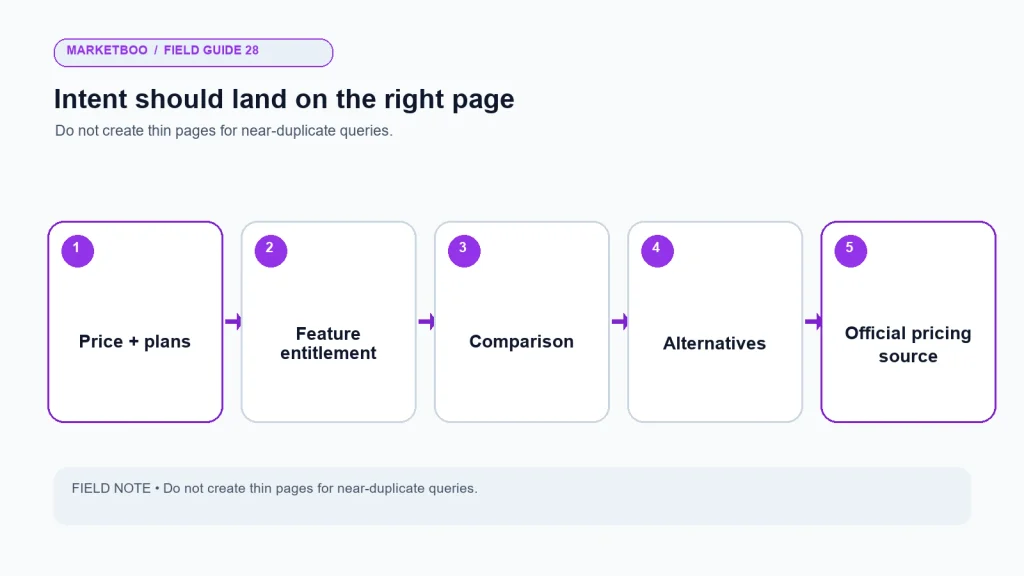
Searchers can ask different questions: how much the product costs, which plan includes a feature, how it compares with another product, what the best option is for a team size, or whether a specific alternative fits. One pricing page cannot answer every query in depth. Use the main page for official plans and terms. Use comparison pages for accurate product comparisons. Use alternatives pages for a distinct evaluative task. Use feature or solution pages for detailed capability information.
Avoid generating a separate thin page for every slight variation in query. If two phrases ask the same question and the product answer is the same, consolidate them into the appropriate page. If a page is genuinely different, explain the distinct buyer context and keep the source information current.
| Search question | Best-fit page type | Pricing page’s role |
|---|---|---|
| “What does this product cost?” | Pricing page | Give current price, unit, billing, limits, and next step |
| “Which plan includes feature X?” | Pricing page or feature comparison | State the feature by tier with qualifications |
| “Product A vs Product B?” | Comparison page | Link to current official pricing and define comparison scope |
| “Alternatives to Product A?” | Alternatives page | Avoid copying a generic plan table; explain fit differences accurately |
| “How does the feature work?” | Feature or documentation page | Link to technical detail and maintain plan entitlement accuracy |
| “Can this serve my industry or use case?” | Solution page | Clarify availability and link to applicable plan or conversation |
Build an intent map before editing. Include query theme, intended page, owner, supporting product facts, internal links, and review date. Search volume and keyword difficulty should be verified in the target market before they are presented as data; the workbook does not provide verified values for this phrase.
Make plan differences understandable at a glance
A comparison table can help a visitor choose, but only if the rows use concrete language. “Advanced features” is not useful if the buyer cannot tell what is advanced. List the feature or limit, define it where necessary, and link to documentation for detailed behavior. Avoid an endless matrix that overwhelms readers or invites mistakes when the product changes.
Use plan descriptions that explain the fit without making a universal claim. “For teams that need multiple workspaces” is more helpful than “Best for every growing business.” State meaningful exclusions and caps. If the company changes packaging, update the pricing page, sales deck, help docs, comparison pages, and structured metadata where applicable at the same time.
| Comparison row | Useful wording | Review question |
|---|---|---|
| Plan name | Name exactly as shown in product and contracts | Is the name current in every system? |
| Price and billing | Unit, amount, frequency, currency, and billing basis | Does checkout or sales quote match? |
| Included usage | Exact amount or clear variable description | Can a buyer calculate likely fit? |
| Feature access | Feature name and relevant qualification | Is availability plan-specific or configurable? |
| Support | Channels and stated coverage | Can operations meet the promise? |
| Implementation | Included service, scope, and one-time terms | Is it recurring or separate? |
| CTA | Trial, start, demo, contact, or quote action | Does it match the page promise? |
Avoid marking a feature as included if it requires an add-on, admin setting, or separate agreement. If a capability varies by contract, say so and provide the route to confirm it. A buyer should not have to infer a contractual term from a check mark.
Put information where both people and crawlers can access it
Important prices and plan limits should appear as readable page content rather than only within an image, embedded video, or interaction that fails without a particular browser state. Use semantic headings, lists, and tables. Make the comparison usable on a phone and with keyboard navigation. Ensure each plan CTA has a clear accessible name and each image has descriptive alternative text.
The page should have one clear H1 and a hierarchy that reflects the content. Avoid using hidden text to repeat prices or add keywords. If a pricing calculator is offered, explain its inputs and provide a result the user can review. Do not make a dynamic price the only source if it cannot be crawled or accessed by customers who use assistive technologies.
Structured data should match the visible offer and current product facts. Do not add Product or SoftwareApplication markup to a pricing page merely to pursue rich results. Google’s documentation determines eligibility and display; markup cannot guarantee an enhancement. For a commercial SaaS pricing page, visible facts and an accurate Article/Organization context may be more appropriate than schema that does not match the page’s primary purpose. Have a qualified schema reviewer validate types and claims before deployment.
Improve the page without hiding the decision
Some SaaS companies gate all pricing behind a demo. That may fit a product with complex deployment or negotiated terms, but it also prevents a visitor from understanding the range or drivers of cost. If sales needs a conversation to quote accurately, explain that reason. Describe the information the prospect can share and what the meeting will cover. If the company can safely publish a starting point or example, define the assumptions and keep it updated.
Do not use a low entry price that applies only to a narrow configuration while making the dominant use case much more expensive. If a promotional or annual price is emphasized, show the recurring amount and renewal conditions in context. The page should support a buyer’s informed decision, not force them into a sales interaction through missing information.
Internal links that support the decision
Link from relevant product and solution pages to the pricing page with descriptive anchor text. Link from the pricing page to feature documentation, security or implementation information, customer support, and comparison pages where those resources answer a real question. Do not insert links in every sentence. The link should save the buyer effort.
The company can use internal links to clarify how the information fits together: a pricing row links to the feature definition; a trial CTA links to onboarding details; an enterprise CTA links to a useful explanation of implementation or support. Avoid sending every pricing visitor to the homepage or a generic contact form when a more direct destination exists.
Marketboo provides SEO/GEO services for teams reviewing page architecture and search content. A SaaS team seeking a scope discussion can contact Marketboo with its pricing model, plan structure, and update process. Confirm current service details and keep all commercial product facts with the SaaS company’s own owners.
Keep the page current as the product changes
Pricing pages often become stale because product, sales, and marketing edit different documents. Maintain a single source of truth for plan name, price, unit, billing, limits, feature access, add-ons, support, and effective date. Assign an owner who can coordinate the public page, sales proposal, in-product copy, help documentation, and relevant campaign pages.
Every change should have a review record: what changed, why, effective date, affected pages, responsible approver, and where a buyer can confirm details. If a plan is retired, decide whether the old URL remains useful to existing customers, redirects to a current plan, or becomes an archived explanation. Do not leave an expired price in search results without a clear current destination.
Design the page around questions, not just tiers
Some buyers arrive knowing the plan name; others arrive with a business constraint. A useful page can support both. Add a short “which plan might fit” explanation, but make the criteria concrete: number of users, usage, required feature, support need, deployment model, or another real distinction. Do not ask the visitor to reveal a complex business case before they can understand basic plan differences.
Use expandable details carefully. They can keep a comparison table readable, but important information should remain discoverable and accessible without a fragile interaction. Test keyboard navigation, mobile behavior, screen-reader labels, and the page’s rendered text. If a feature row opens a tooltip, provide a persistent definition or documentation link as well.
The page can also explain what is not included. An excluded integration, overage charge, implementation service, or support level may be the detail that prevents a poor fit. Clear limits can reduce avoidable sales conversations and help qualified buyers arrive with better questions. Treat the pricing page as part of the product experience, not as a decorative table.
A pricing-page content brief
| Section | Reader question | Source owner |
|---|---|---|
| Opening answer | What does the product cost or how is a quote built? | Product/finance |
| Plan comparison | Which option fits my situation? | Product marketing |
| Limits and usage | What happens at my expected volume? | Product/operations |
| Billing and terms | How often am I charged and what changes the amount? | Finance/legal |
| Support and implementation | What help is included? | Customer success |
| FAQ | Which objections are common and current? | Sales/support |
| Next step | Can I try, buy, or speak with someone? | Growth/sales |
Review the brief when the product changes. A content owner should be able to locate the source for every commercial fact on the page.
Investigate the page’s search and conversion evidence
Before changing the page, review how people currently find and use it. Search Console can show queries and clicks associated with the URL under its reporting definitions. Analytics can show page behavior and configured events. CRM or sales records can reveal questions that arose after a visit. Each source offers only part of the picture, so keep definitions and limitations visible.
Look for mismatch patterns. A visitor searching for “per user pricing” may land on a page that only says “contact sales.” A comparison query may send someone to a plan table that omits the feature they need. A branded search may bring an existing customer seeking billing help rather than a new buyer. These patterns suggest different page or navigation work. Do not optimize every visit toward a demo if the intent is support or account management.
Use a baseline that includes page URL, query themes, device, market, CTA interactions, form completion, and downstream qualification where data allows. Keep a period long enough to account for normal variation and campaign activity. If the page receives little traffic, use qualitative evidence from sales conversations and customer interviews, then clearly label that evidence as qualitative rather than statistical.
| Evidence source | Useful question | Caution |
|---|---|---|
| Search Console | What search queries and pages receive impressions or clicks? | Query data is aggregated and may be incomplete |
| Web analytics | What do visitors do after reaching the page? | Consent, event setup, and attribution affect what is recorded |
| Sales notes | Which plan questions block a decision? | Notes may be selective; confirm with multiple conversations |
| Support tickets | Which billing or limit details confuse current users? | Support intent differs from new-customer intent |
| Product usage | Which features or limits matter in practice? | Internal usage data does not automatically reflect buyer demand |
Use the evidence to prioritize clarity, not to stuff the page with every phrase that appears in a report. A pricing page should be concise enough to compare plans while linking to deeper explanations for complex feature details.
Clarify procurement and security questions without burying price
Some SaaS buyers need to assess procurement, data handling, implementation, support, or security before requesting a quote. A pricing page does not need to replace a security center or contract, but it can tell the visitor where those details live and whether they vary by plan. If the company has separate resources, link them with descriptive text and keep the promise consistent with the product’s current documentation.
For enterprise plans, explain which parts of the offer are scoped through a conversation: user count, deployment model, support level, implementation, service terms, or another actual variable. Identify what the buyer can prepare for the discussion. If the company has a minimum contract or regional availability limitation, state it accurately. Do not use “custom” to hide a price when the business can provide a useful range or model but has chosen not to.
The pricing page should also distinguish between the product plan and optional services. Implementation, training, migration, or managed support may be a separate purchase. Naming that distinction reduces surprise and helps sales route the conversation. Ask the commercial owner to approve the language and review it when contract terms change.
Make the next step consistent with buyer readiness
Offer a clear action for different levels of readiness where the business can support them. A visitor who is ready to purchase may want to start a trial or checkout. Someone comparing an enterprise configuration may want to request a demo. A technical evaluator may need documentation before talking to sales. Keep the primary action visible and use secondary links only when they help a genuine task.
Test the path after a visitor chooses a plan or submits a form. Does the action preserve the plan context? Does the sales team see the selected product and use case? Does the checkout display the same price and billing term as the page? If the handoff loses that information, the page can create friction even when it ranks and attracts clicks.
Avoid turning pricing into an artificial keyword page
Some pages repeat phrases such as “software pricing,” “plans,” and “cost” in every heading without making the offer clearer. That adds length but does not help the buyer. Use the terms customers naturally use where they describe a real question, then answer the question with current product facts. A heading such as “What happens when usage exceeds the included amount?” is more useful than a generic keyword heading if overage is a real concern.
Use customer language from sales and support, but protect confidential details. Aggregate recurring questions and confirm them with the responsible owner. Do not publish a customer’s exact budget or procurement situation without authorization. If the company has no verified customer questions, conduct structured interviews or review public query data and label the result as a research hypothesis.
Search snippets may show outdated prices or plan names after a change. Keep visible page content current, update metadata where appropriate, and use the correct canonical URL. Do not use a hidden schema field or page text to display a different price to search engines than people see. If a price is temporary, state the effective period and update or remove it when the promotion ends.
How to improve SaaS pricing page SEO
- Confirm the source of truth. Collect current plans, price units, billing terms, limits, features, add-ons, and owners.
- Map buyer questions. Separate price, comparison, feature, alternative, and use-case queries by intent.
- Choose the page’s scope. Decide which questions belong on pricing and which need a separate comparison or feature page.
- Write clear plan descriptions. State who each option may fit and what changes across tiers without universal claims.
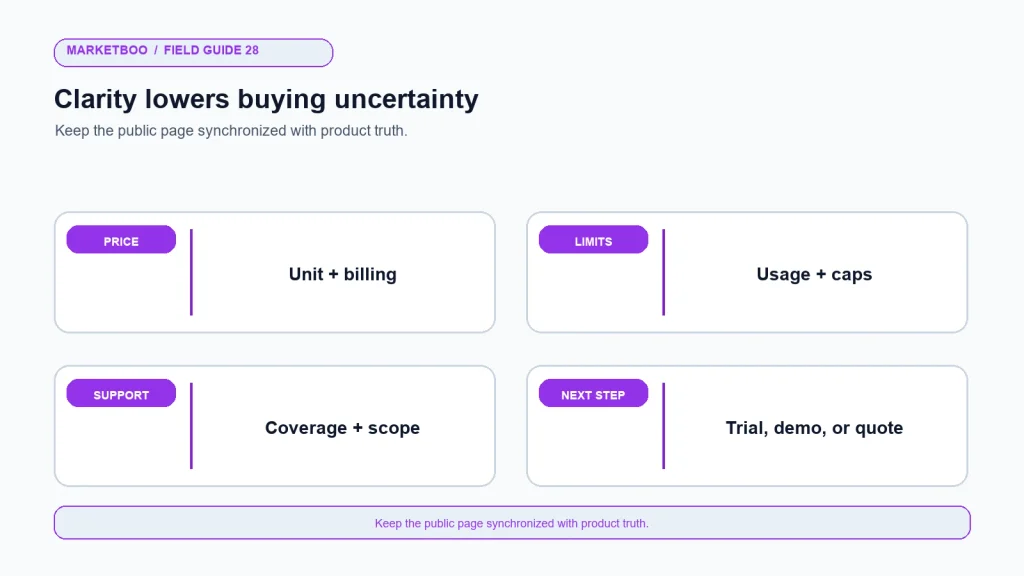
- Show terms and limitations. Explain units, billing, usage, support, implementation, and conditions that affect cost.
- Make the content accessible. Use readable text, semantic tables, mobile layout, keyboard operation, and meaningful alt text.
- Match links to the decision. Connect feature details, documentation, implementation, trial, and contact routes.
- Check technical signals. Review canonical, indexation, page title, description, internal links, rendering, and structured data.
- Test the conversion path. Verify trial, demo, quote, checkout, and form routing, including analytics events.
- Set an update owner. Add effective dates and a release process so public details remain synchronized with product and sales.
Reporting page performance
Track search impressions and clicks for the pricing URL, relevant query themes, organic landing sessions, CTA use, qualified inquiries, and downstream outcomes under the company’s definitions. Segment by market or device when there is enough data to interpret differences. Monitor whether the visitor can reach the page and whether the page answers the query, not only whether average position changes.
If a change to plan wording coincides with a campaign, new pricing, or product launch, annotate the report. Compare the same periods and page versions where possible. Do not infer that an SEO edit caused a conversion increase just because the two events occurred together. Test changes and preserve the baseline.
FAQ
What is SaaS pricing page SEO?
It is the work of making a software pricing page discoverable and useful for people evaluating cost, plans, limits, billing, and fit. It includes accurate content, page structure, internal links, technical access, and a clear conversion path.
Should a SaaS company publish its prices for SEO?
Publish public pricing when the company can maintain accurate prices and terms. If pricing is custom, explain the factors that affect a quote, the buying process, and the information a prospect needs to provide. Do not show a misleading entry price just to attract clicks.
How should a SaaS pricing page describe custom pricing?
State why a quote depends on the customer’s configuration, identify the variables that genuinely affect price, describe what a sales conversation covers, and provide a clear next step. Avoid a blank page with a generic form and no decision context.
Do pricing tables help SEO?
Tables can make plan differences easier to compare when they use accurate, accessible text and meaningful rows. A table by itself does not improve search visibility. Keep important information readable on mobile and synchronized with the product and sales source of truth.
Should comparison pages be separate from the pricing page?
Use a separate page when the comparison addresses a distinct buyer question and can be maintained accurately. The pricing page should remain the official source for the company’s own plans. Link the pages when doing so helps the reader compare without duplicating stale details.
What keywords should a SaaS pricing page target?
Start with query themes tied to pricing, plan limits, billing, team size, use case, and product alternatives, then validate them in the target market. Assign each query to the page that answers it best. Do not claim search volume or difficulty without a current source.
How often should a SaaS pricing page be updated?
Update it whenever prices, packages, limits, feature access, billing terms, or support commitments change. Review it on a regular owner-led schedule as well, and check linked sales and help materials for consistency. A stale price can undermine both search usefulness and buyer trust.
A pricing page should reduce uncertainty
SaaS pricing page SEO is not a reason to hide the commercial decision behind a keyword-rich table. The page should state what the product costs when that information is publishable, explain what affects the cost when it is not, and help a buyer compare a real use case with the available plans.
Give the page an owner, align it with product and sales, and test the path to the next step. Keep alternatives, comparisons, and feature details on the pages that can answer them well. When the company changes its packaging, update the public source before outdated information spreads through ads, support replies, and search results.