
The short answer: To check crawl budget in Google Search Console, open the verified property, go to Settings, and select the Crawl stats report when it is available. Review total crawl requests, response and file-type patterns, Googlebot purpose, host status, download volume, and response time over the report period. Then compare the URL patterns Googlebot requests with the pages the business wants crawled, using server logs and a URL inventory when available. Crawl activity is not the same as indexing: a requested URL may not be indexed, and an indexed URL may not be crawled frequently. Most small sites do not need crawl-budget optimization; investigate it when scale, rapid URL changes, server limits, or low-value URL patterns make crawling a demonstrated constraint.
How to check crawl budget in Google Search Console
Google Search Console’s Crawl Stats report shows how Googlebot has crawled a property. It does not provide a simple remaining allowance that tells an SEO how many URLs can be crawled tomorrow. “Crawl budget” refers to the set of constraints and demand that influence how much Googlebot crawls a site over time. The practical question is whether Googlebot can efficiently discover and refresh the important URLs without unnecessary URL patterns or server problems getting in the way.
The phrase “check crawl budget in Google Search Console” is often used as shorthand for reviewing crawl activity. The report can help an operator see request trends, response codes, file types, Googlebot types, purpose, host status, download size, and response time. It cannot by itself explain why Google chose a URL or whether a page will be indexed.
Google’s official Crawl Stats report documentation explains the report and its fields. Google’s large-site crawl budget guidance describes when crawl-budget work may be relevant and why most sites do not need to optimize it. Check current documentation and property availability before relying on a specific report view.
First ask whether crawl budget is a real issue
Before analyzing charts, identify the scale and operating problem. How many unique URLs can the site expose? How frequently does important content change? Are there separate hosts or markets? Can the server handle the observed requests? Are valuable pages discovered late, refreshed slowly, or rarely requested despite being linked and indexable? Are there large patterns of parameter URLs, faceted navigation, session IDs, staging URLs, or near-duplicates?
Google’s guidance notes that crawl budget is mainly a concern for very large sites or sites that publish or change many pages rapidly, and for sites that encounter crawl capacity issues. Smaller sites should usually focus first on useful content, internal linking, indexability, redirects, and server health. Do not launch robots.txt changes solely because a chart appears high or a team wants Googlebot to “crawl less.”
| Signal | Could indicate a crawl issue? | What to inspect next |
|---|---|---|
| Important pages are discovered late | Possibly | Internal links, sitemap, new-page path, logs, URL inspection |
| Googlebot requests many parameter combinations | Possibly | URL inventory, faceted navigation, canonical and crawl controls |
| Frequent 5xx or long response times | Yes, may affect crawl capacity | Hosting, application logs, rate limits, origin health |
| Crawling rises after a launch | Not necessarily | New URLs, redirects, assets, changed templates, release date |
| Low crawl count on a small stable site | Usually not enough by itself | Indexing, content, links, and actual coverage goal |
| Crawling is high but desired pages are indexed | Not automatically a problem | Request mix, server cost, refresh needs, low-value patterns |
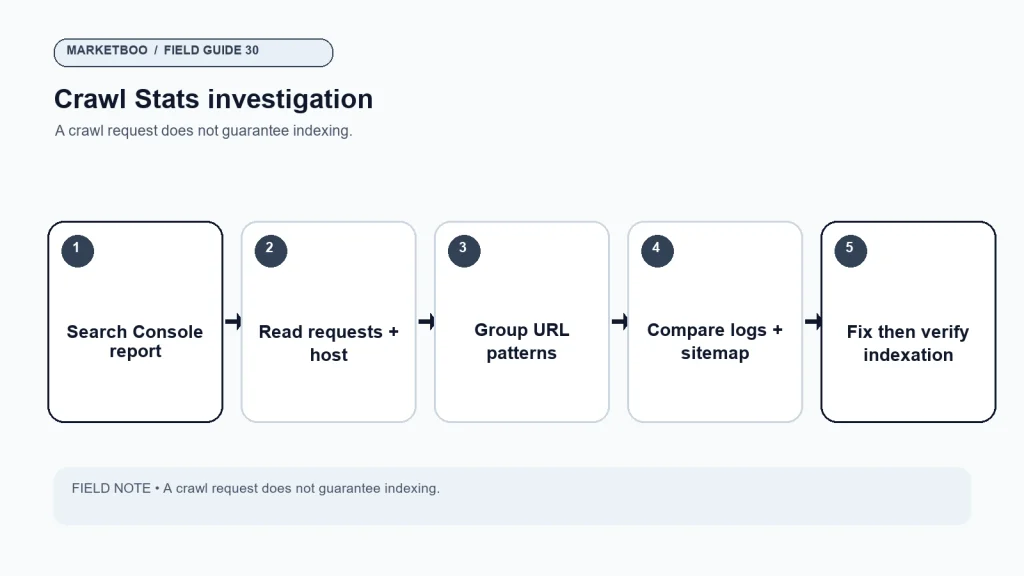
The site needs a business reason to intervene. For example, a large inventory changes daily, the site has many filter-generated URLs, or the server has repeated crawl errors. “We want a larger crawl number” is not a meaningful goal. More crawling does not automatically mean more indexing or visibility.
Open the Crawl Stats report
- Sign in to Google Search Console and select the verified property that represents the site or host you want to inspect.
- Open Settings in the left navigation.
- Find Crawl stats and select Open report if the option is available.
- Confirm the host and property shown in the report. If the site uses several subdomains or domains, check which host data is included.
- Set the reporting period and note the dates covered. The report is historical, not a real-time view.
- Inspect the total crawl request chart and the response, file type, Googlebot type, and purpose breakdowns.
- Review host status and response time alongside the request trend.
- Export or record the patterns relevant to the investigation, with the report date and property name.
The interface can change. If the report is missing, confirm property verification, the selected host or domain, account permissions, and current Search Console availability guidance. Do not infer that Google is not crawling the site simply because the report is not visible. Check server logs and other official Search Console reports as appropriate.
Read the report fields in context
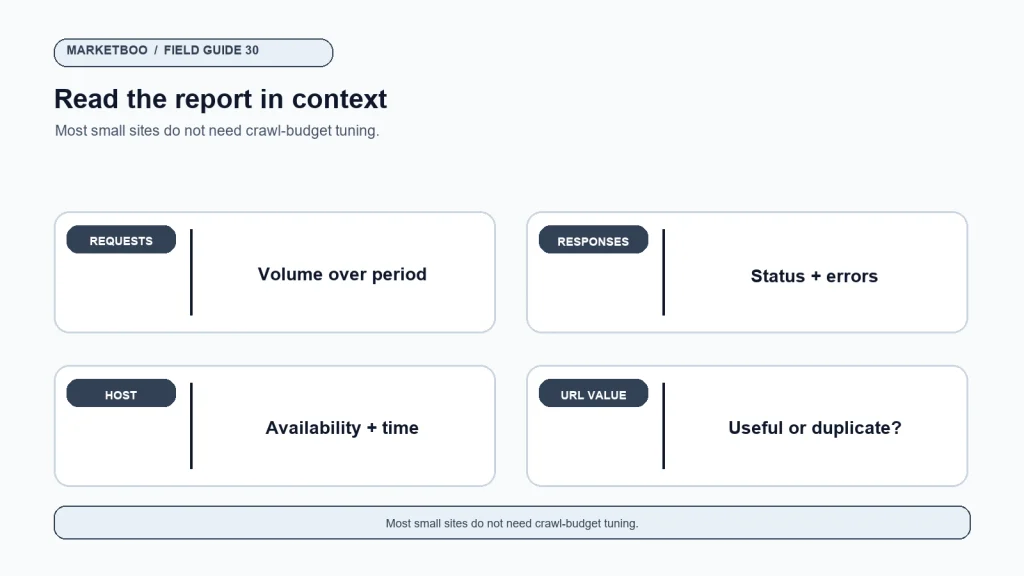
Total crawl requests indicates how many requests Googlebot made to the property during the period shown. It does not equal the number of unique pages indexed or the number of pages that will be indexed. The count can include page resources and repeated fetches, depending on the report categories.
Response breakdown groups requests by response outcome, such as successful responses, redirects, not found errors, server errors, or other responses. A spike in a category should be tied to URLs and release changes. A 404 can be expected for a retired URL, but a large number of unexpected 404s on important pages deserves investigation.
File type helps identify what Googlebot fetched, such as HTML, images, or other resources. A large volume of non-HTML requests is not automatically waste; resources can support rendering or image discovery. Check whether the requests are expected and whether they relate to important pages.
Googlebot type describes the crawler type in the report. A change in crawler mix may follow a site release, mobile-first crawling behavior, image activity, or other pattern. Do not interpret each category as a separate crawl budget that can be adjusted independently.
Purpose may distinguish discovery from refresh activity in the current report version. Use the official documentation to interpret the exact labels. A high refresh count can be expected for frequently changing information; a new URL set can generate discovery requests.
Host status and response time indicate whether Googlebot could access the server and how responsive the host was during the period. Repeated capacity problems may influence crawl activity. Compare the report with origin logs, CDN data, monitoring, and the release calendar.
| Report field | What it describes | Common misinterpretation |
|---|---|---|
| Crawl requests | Googlebot request volume over time | “This is how many pages Google indexed” |
| Response codes | Server responses to requests | “Every 404 is harmful” |
| File types | Types of resources fetched | “Only HTML requests matter” |
| Googlebot type | Crawler category in the report | “I can set a separate budget for each type” |
| Crawl purpose | Current report’s discovery/refresh categories | “Every request is a new page discovery” |
| Host status | Access and availability signals | “A healthy host means all pages are indexed” |
| Response time | How quickly the host responded in the report | “One average explains every page’s speed” |
The report gives a useful overview, but it may not provide the URL-level context needed to diagnose a pattern. Logs and targeted URL tests can add that detail.
Compare crawl patterns with the URLs the site wants indexed
Build a URL inventory that includes canonical URL, template, market, indexability, business owner, update frequency, sitemap presence, and purpose. Compare it with URLs observed in server logs or a crawl. Look for patterns: query parameters, sort orders, filter combinations, internal search, session identifiers, duplicate paths, redirects, old campaign pages, and resources that are no longer used.
Do not label a pattern “waste” based on volume alone. A facet can help a shopper and generate search value in some cases. A filtered URL may need to be crawlable, canonicalized, blocked from crawling, or handled another way depending on its value and implementation. Get product, engineering, and SEO owners to agree on the intended behavior before changing technical controls.
Server logs can show requests to specific URLs and responses from the server. Use a verified Googlebot identification method; user-agent strings can be spoofed. If you do not have log access, ask the hosting or platform owner for a suitable report. Keep personal or sensitive data out of exported logs and follow the company’s retention and privacy rules.
Distinguish crawling, indexing, and ranking
These are separate processes. Crawling means Googlebot requests a URL or resource. Rendering means Google processes the page and its resources as needed. Indexing means Google may store and understand the page for possible search results. Ranking determines how a page may appear for a query. A crawl request does not guarantee indexing. Indexing does not guarantee ranking. A page may also be discovered through links or sitemaps before it is crawled.
Use URL Inspection for specific URLs where appropriate, and review the Pages or indexing reports for broader coverage patterns. A crawl budget chart cannot tell you why a page is excluded from the index. Check canonical selection, noindex, redirects, content quality, duplication, and internal links when the question concerns indexing.
Avoid using robots.txt as a deindexing tool. It controls crawling access, not whether a URL can appear in search under all conditions. If a page must be removed from results, follow Google’s current removal and indexing guidance for the actual situation. Technical changes can have side effects and should be reviewed by the site owner.
Diagnose parameter and faceted URL patterns
Large ecommerce and directory sites can generate many URL combinations from filters, sorting, pagination, search, and tracking parameters. Start by collecting example patterns and determining whether each URL has unique user value, unique content, and a canonical destination. Ask whether it should be discoverable, internally linked, included in a sitemap, crawled, or indexed.
Possible actions vary. The site might reduce the number of crawlable combinations, improve internal links to valuable facets, canonicalize duplicates, remove unnecessary parameters, or adjust navigation. Robots.txt blocks should be carefully considered because Google may not fetch a blocked URL to see canonical or noindex directives. Follow the current Search Central guidance for the chosen implementation.
Do not block URLs merely because their query strings are long. Some parameters may identify products, variants, pagination, language, or campaign attribution. Test the effect on users, analytics, and search before applying broad rules. A change that reduces crawler requests but also hides important pages is not a successful optimization.
Check server capacity before trying to slow Googlebot
If the host shows repeated errors or slow responses, coordinate with engineering or hosting operations. Inspect status codes, origin capacity, CDN behavior, rate limits, application performance, and timing of releases. Do not apply arbitrary crawl-rate settings without understanding whether they are available and appropriate for the property. If crawling overloads the server, fix the capacity issue or use official mechanisms and guidance rather than guessing.
A large spike in requests may follow a new URL structure or a migration. Compare the date with deployment records, redirects, sitemap updates, and content releases. Confirm whether Googlebot is requesting old URLs, new URLs, assets, or duplicate paths. The right response may be a redirect cleanup, internal-link correction, sitemap adjustment, or an application fix—not an instruction to crawl less.
Build a baseline around important URL groups
Before changing crawl controls, group the site’s URLs by purpose and template. A large website might have product details, category pages, support documentation, profiles, editorial articles, faceted combinations, internal search, feeds, and assets. Record the number of URLs in each group, update frequency, canonical rules, sitemap presence, and business owner. This lets the team ask whether Googlebot activity aligns with what the site actually wants discovered and refreshed.
Use a dated baseline. Save the Crawl Stats period, representative request patterns, host status, response time, relevant log sample, sitemap version, and major releases. If the site changes its URL structure or platform, capture a new baseline before the release. Do not compare a migration month with a quiet month without explaining the difference.
URL-group review table
| Group | Approximate scale | Change frequency | Desired crawl behavior | Evidence source |
|---|---|---|---|---|
| Product pages | Refresh when product data changes | Inventory, logs, sitemap | ||
| Editorial content | Discover new and updated articles | CMS, Search Console, links | ||
| Faceted URLs | Decide by user/search value | URL samples, logs | ||
| Internal search | Review whether crawling is useful | Search paths, logs | ||
| Redirected legacy URLs | Resolve to relevant current pages | Redirect map, server responses | ||
| Static resources | Available for rendering and use | Request and template inspection |
The table is an investigation aid, not a required Google format. A group can contain both valuable and low-value URLs, so keep representative examples and record exceptions. The owner of each group should understand why the current crawl behavior is desired.
Use internal links and sitemaps as discovery signals
Important pages should be reachable through useful internal links and represented accurately in the XML sitemap where appropriate. A sitemap does not guarantee crawling or indexing, but it can help communicate the site’s preferred canonical URLs and update information. Remove stale, duplicate, parameterized, or blocked entries according to the current site rules.
Review navigation, related links, pagination, breadcrumbs, feeds, and contextual links. A page that matters to the business but has no internal path may be discovered slowly or only through external references. Conversely, a navigation control that generates thousands of low-value combinations can create a large request pattern. Discuss the user need and technical behavior together.
When a new content group launches, check whether it has a clear linking path, sitemap handling, canonical behavior, and a responsible editor. Do not respond to a discovery problem by submitting every possible URL. Improve the site’s signals and test representative pages.
Make the investigation reproducible for engineering
When a request pattern appears unusual, give engineering a small, repeatable set of URLs and timestamps. Include the response status, user-agent verification method, template, and expected behavior. Describe whether the URL should be crawled, indexed, redirected, or available only to users. These are different requirements and can lead to different implementations.
Ask the technical owner to identify the system that generates the URL and whether the pattern is needed for navigation, tracking, product selection, or another business task. A search crawler may encounter a path that customers also use. Changing it without understanding the product behavior can break filters or analytics. Keep the technical fix connected to the user function.
After implementation, test a representative URL from each affected pattern and check the corresponding response and link behavior. Monitor Crawl Stats and logs over a comparable period. If the request volume changes but valuable pages remain discoverable and the host is healthy, the result may be acceptable. The goal is efficient access to useful pages, not the smallest possible graph.
A sample investigation worksheet
Use a worksheet with one row per pattern, not only one row per URL. A URL pattern groups pages generated by the same template or parameter rule. Keep representative examples and a count source so the engineering owner can reproduce the issue.
| URL pattern | Observed requests | Expected behavior | Business value | Suspected cause | Owner/action | Verification |
|---|---|---|---|---|---|---|
| Product detail | Crawl and index when eligible | Core merchandise | URL inspection and logs | |||
| Filter combination | Decide by facet value | Helps product discovery | Test selected combinations | |||
| Internal search | Review crawl and index rules | User navigation | Check links and directives | |||
| Redirected old path | One relevant destination | Preserve useful paths | Status and final URL | |||
| Static resource | Available for rendering/use | Supports page display | Fetch and response test |
Before prioritizing, check if the pattern has a user purpose or a business owner. A large request volume can be acceptable when it reflects a valuable product catalog. Low request volume can still matter if important new pages are not being discovered.
How to investigate crawl-budget issues in Google Search Console
- Confirm the property. Select the verified Search Console property and host relevant to the crawl question.
- Open Crawl Stats. Go to Settings and open the Crawl stats report if available for the property.
- Record the report period. Note the dates and compare them with site releases or URL changes.
- Review request volume. Look for changes in total crawl requests; do not equate requests with indexed pages.
- Inspect response patterns. Review successes, redirects, not found responses, and server errors; sample the URLs behind unexpected changes.
- Check file type, crawler, and purpose. Use current Google documentation to interpret categories and identify relevant patterns.
- Review host status and response time. Coordinate with hosting or engineering if repeated availability or capacity issues appear.
- Compare with a URL inventory and logs. Group requests by template and parameter pattern, then identify valuable versus unnecessary paths.
- Investigate before changing controls. Check internal links, redirects, sitemaps, canonicals, robots rules, server capacity, and page purpose.
- Verify the fix and indexing separately. Retest representative URLs and monitor crawl activity; use indexing reports for index status.
Common mistakes to avoid
Treating crawl count as an SEO score. More requests can reflect more pages, assets, refresh activity, or duplicate URLs. Interpret the mix and business need.
Assuming every crawled page is indexed. Crawling is only one step. Check indexing reports, canonical selection, content, and directives.
Blocking everything with a query string. Some parameters matter for product selection, tracking, pagination, or localized content. Inventory first.
Using robots.txt to remove a page from results. Blocking a crawl does not always remove an already known URL from search. Use the correct current removal method for the goal.
Trying to optimize crawl budget on a small static site. Focus on useful content, technical access, internal links, and user needs unless evidence shows crawl constraints.
Ignoring server behavior. Slow responses and errors can be more important than the raw crawl-request total. Check host status and origin logs.
Changing crawl controls without testing. Broad robots or URL rules can prevent valuable pages from being fetched. Review the rule, representative URLs, and expected outcomes before release.
When technical SEO support is useful
Outside help can be useful when a large site has many URL patterns, multiple hosts, frequent inventory changes, server capacity issues, or a complex migration. Ask the reviewer to provide representative URLs, log evidence, Search Console screenshots or exports, the intended behavior, and a test plan. Avoid accepting a recommendation that only says “reduce crawl budget” without explaining which URLs and why.
Marketboo offers SEO/GEO services for businesses seeking search support. If you need a crawl diagnostic, contact Marketboo with the site scale, property type, URL patterns, crawl report period, and any relevant server logs. Confirm current scope and implementation ownership directly.
Frequently asked questions
Where is the Crawl Stats report in Google Search Console?
Select the verified property, open Settings, and choose Crawl stats or Open report if the option is available. The interface can change and data availability varies. Check Google’s current Search Console help if the report is not present.
Does Google Search Console show my remaining crawl budget?
No. Crawl Stats summarizes Googlebot activity and host information; it does not provide a simple remaining allowance. Crawl budget is influenced by crawl capacity and demand, and should be investigated through patterns and site context.
Does a crawl request mean a page is indexed?
No. Crawling and indexing are different. Google may crawl a URL and decide not to index it, or discover a URL before crawling it. Use indexing reports and URL Inspection for specific index-status questions.
How do I know if crawl budget matters for my site?
Consider site size, how often unique pages change, server health, and evidence that important pages are not crawled or refreshed as needed. Google’s guidance says most smaller sites do not need crawl-budget optimization. Start with a demonstrated constraint, not a crawl-count target.
Can I block faceted URLs in robots.txt?
Possibly, but first decide whether those URLs have unique user or search value and understand how robots.txt affects fetching. Google may not see canonical or noindex directives on blocked pages. Review current documentation and test representative patterns before changing rules.
Should I submit every URL in an XML sitemap to improve crawl budget?
No. A sitemap should help expose canonical URLs the site wants considered for indexing, not every parameter combination or duplicate. Keep it accurate and consistent with the site’s canonical and indexability rules.
How often should I review crawl stats?
Review when diagnosing a crawl or server issue, after a large URL or platform change, or on a cadence appropriate to the site’s size and update frequency. Compare the same report period and annotate releases. There is no universal schedule for every property.
Crawl the pages that matter, then verify indexing
How to check crawl budget in Google Search Console starts with opening the Crawl Stats report and reading the patterns in context. Pair the report with a URL inventory, server logs, release history, and business priorities. The report can show Googlebot activity and host behavior; it cannot tell you on its own why a page was indexed or whether it deserves to rank.
For most smaller sites, crawl-budget optimization is not the first priority. For large or frequently changing sites, focus on important URL discovery, efficient internal linking, server health, and unwanted URL patterns. Make one controlled change at a time, test the expected behavior, and use the indexing reports to answer indexing questions separately.